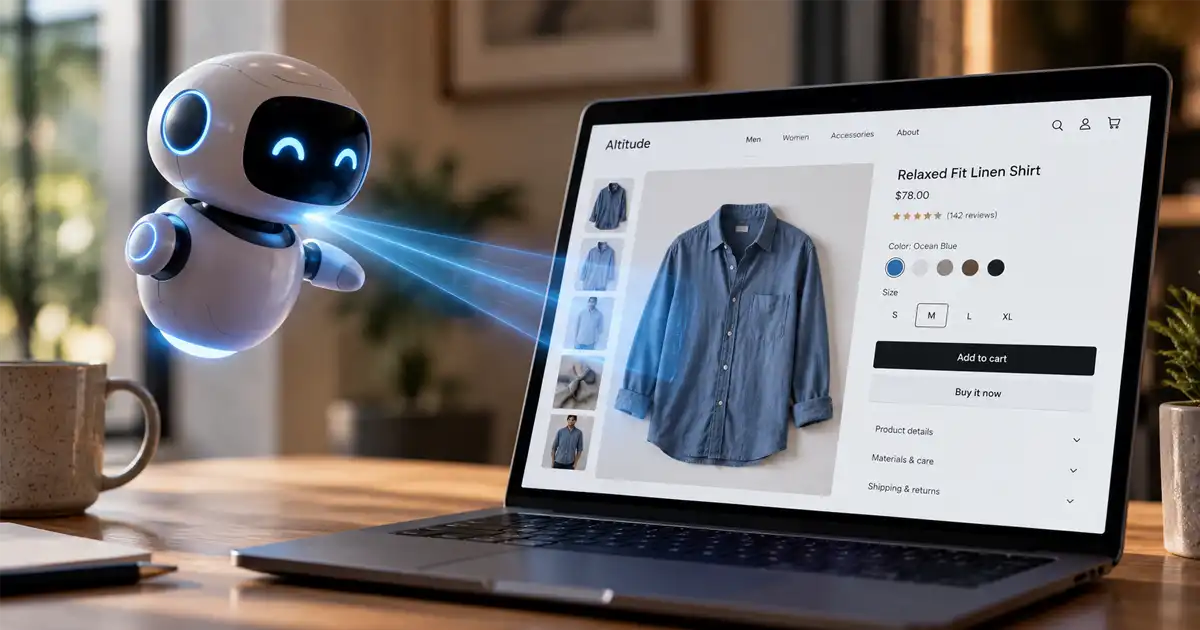
Shopify is calling the 2026 holiday season the first in which agentic shopping reaches a broad audience. In its October 6 announcement, the company cited a survey finding that 65% of shoppers expect to use AI for at least one shopping task this season.
That doesn’t mean every shopper will hand an agent their credit card and go for a walk. It means more people may ask AI to find a gift, compare products, or help place an order. Some agents can take action in a browser or connected apps. Some shopping features help people choose but send them to a retailer to pay. The purchase flow depends on the agent, the store, the product, and the customer’s location.
For Shopify brands, the practical question is less “Is my store ready for every AI?” and more “Can an agent understand my products, find the right one, and get through the checkout we support?” You can test that now.
The agentic shopping moment has arrived, with limits
A shopping agent takes a request in ordinary language, looks for products that fit, and may help move the shopper toward purchase. A shopper could ask for a lightweight rain jacket for a rainy commute, in a certain size and price range. The agent can compare options, explain the differences, and, in some supported setups, help complete the order.
But “agentic” covers several different experiences. One agent might research products and show links. Another might browse a retailer’s site. A third might support checkout inside an AI conversation. The shopper may still need to review the final item, price, shipping details, and payment before an order goes through.
So don’t treat an agent’s ability to buy somewhere as proof it can buy from your store. Access, product eligibility, approvals, and checkout vary. The useful test is whether a shopper can get from a clear request to the right item without the agent making a mess of your catalog or policies.
What shopping agents can do now
Meta Muse: a personal agent that can shop on the web
Meta introduced Muse in September as a personal agent that can work across connected apps and use its own browser. Meta says Muse can research and compare products, continue working after a shopper closes the app, and ask for approval before sensitive actions such as making a purchase. It supports checkout with Link, while Meta says Shop Pay support is coming.
For your store, that means Muse may approach shopping much like a person using a browser: searching, opening product pages, checking details, and moving toward checkout. Whether it can finish the task depends on the specific flow and what the shopper approves.
OpenAI: shopping research, ChatGPT and Dots
ChatGPT’s shopping features can help shoppers explore products, compare options, and refine a request through conversation. OpenAI has also described purchase flows for supported partners. For many Shopify products surfaced through Shopify Catalog, the shopper is directed to the merchant’s checkout rather than completing the purchase inside ChatGPT. So discovery in ChatGPT and checkout in ChatGPT aren’t automatically the same thing.
OpenAI introduced Dots on September 29 as always-on agents that can work on tasks over time. A Dot is a broader personal assistant, not a dedicated Shopify shopping channel. Its ability to shop a particular store depends on what it can access and do in the user’s account. Treat a Dot test as a check of its real behavior, not a promise that all shoppers have the same tools.
Anthropic: a blueprint for agents built by retailers
Anthropic announced a commerce-agent blueprint in September. The approach is different: retailers can use it to build shopping agents that search products, compare options, assemble carts, and help with customer service within a retailer’s own site or app.
That’s a path for brands considering a store-specific agent, not a guarantee that Claude will independently shop every merchant’s website. The agent’s actions depend on how the retailer builds and connects it.
These examples point to three routes into agentic ecommerce: a personal assistant acting for a shopper, shopping features inside an AI platform, and a retailer’s own agent. We looked at the questions around who gets to shop for customers in our earlier look at who gets to shop for you.
Shopify’s approach: connect discovery to checkout
Shopify Agentic Storefronts and Shopify Catalog are designed to make eligible merchants’ products available across supported AI channels. Catalog gives those channels structured product information. Storefront settings in Shopify admin let you review channel access and, where supported, checkout behavior. Shopify also provides product previews and performance reporting for agentic storefronts.
The checkout experience isn’t identical everywhere. Some channels send the shopper to your online store; others may support checkout within the AI experience. Eligibility can depend on the product, business, shopper’s location, payment setup, and channel. Being connected gives an agent a way to access product information. It doesn’t guarantee that your product appears in an answer or gets selected.
Shopify’s Agentic plan is an option for merchants using another commerce platform who want to make products available through Shopify’s AI channels without moving their whole store to Shopify. Check the current plan terms and channel eligibility before deciding if it fits your setup.
Shopify’s own holiday announcement puts the distinction plainly: the platform can help connect products to AI shopping channels, while brands still need to make their product stories understandable. Your feed can be connected and your product can still be a poor match if the details are missing or unclear.
A practical Shopify agent-readiness check
Start in Shopify admin. Go to Sales channels > Agentic and review the settings for catalog access, individual channels, and checkout. Shopify’s default “Allow Shopify to manage for me” setting can enable available channels and automatic enrollment in new ones. If you prefer to decide channel by channel, review that setting before assuming what is enabled.
Then check the store itself. Work through these basics:
- Product data: Make titles, descriptions, categories, variants, sizes, materials, compatibility details, images, prices, and inventory accurate. Similar items should have clear differences.
- Shopper questions: State who a product is for, how it’s used, what it works with, and what’s included. Make shipping, returns, warranty, and sizing information easy to find.
- Checkout: Confirm that products are available in the markets you intend to serve. Review payment and delivery options, and make sure your policies don’t conflict with what shoppers see at checkout.
- Operations: Know how your team will spot AI-channel referrals and handle orders, customer questions, returns, and customer records. Check Shopify’s agentic storefront reporting as well as your usual analytics.
Shopify’s catalog search preview can show how products appear in catalog search and offer a directional signal about discoverability. It isn’t a guarantee of what a shopper will see: AI channels apply their own ranking and selection. A hands-on test is still worth doing.
Run a controlled shopping test with each agent
Use the same product and shopping request across tests so the results are comparable. Pick one bestseller and one product with variants, such as sizes or models. Ask for a recommendation that includes a specific use, budget, and one or two requirements. Then check whether the agent finds the right product, distinguishes the variants, gives correct details, and reaches the expected checkout.
Keep your first test away from a live purchase. Tell the agent to stop before placing an order. If you need to test payment and order handling, use a test environment where possible, or arrange an approved low-cost test order with your team before starting. Don’t give an agent payment details or permission to buy without a plan for what happens next.
- Meta Muse: Open Muse and ask, “Find a [product type] on [your store’s name or domain] for [specific use]. Compare the options under [$X], explain which one fits [requirement], and stop before checkout.” Review the pages it opens, the details it cites, and whether it asks before any purchase. If it can’t access your site or the flow differs in your account, note that rather than treating it as a catalog failure.
- OpenAI Dots: If Dots is available in your account, assign it a bounded research task: “Check [your product-page URL] and compare the available [sizes/models] for [use]. Tell me the price, key differences, shipping or return details you can find, and stop before checkout.” Check whether the Dot can access the page and whether its summary matches the live store. Dots access is rolling out, so some shoppers or accounts may not have it.
- ChatGPT shopping: In ChatGPT, ask for a product matching the same needs and include your brand or product URL in a follow-up: “Compare this product with the alternatives you found: [URL]. Which one meets my requirements, and why?” Check if your item appears through product discovery, whether its displayed information is current, and where the purchase link takes you. A product appearing in ChatGPT does not mean an in-chat checkout is enabled for it.
- Anthropic’s commerce-agent approach: If you’ve built or are piloting a Claude-powered agent for your own storefront, give it the same request through your site’s agent. Ask it to compare the relevant products, add the best match to a cart, and pause before payment. Check whether it answers product and policy questions accurately and hands off to your intended checkout. If you haven’t built a store agent, this isn’t a test of the general Claude assistant; it’s a possible build path.
After each test, record the prompt, product shown, details the agent got right or wrong, and where the flow stopped. Repeat with a few different phrasings. The point isn’t to make every AI recommend you. It’s to find catalog gaps and broken handoffs before a customer finds them first.
If your store is not ready, fix the basics first
Begin with product data, not another app. Clean up bestsellers and products with confusing names, overlapping variants, or incomplete specifications. Write specific, factual copy that answers buyer questions. “Made for everyday comfort” may sound pleasant, but it doesn’t tell an agent whether the chair fits under a 28-inch desk.
Make your FAQs, policies, and brand details available and consistent. Remove outdated claims. If the product page says one thing about delivery and checkout says another, fix the mismatch. You can also use our guide to AI content optimization for ecommerce for more on making product information easier to interpret.
Then repeat your test prompts. If an agent confuses two models, clarify the title and comparison details. If it misses a material or compatibility point, put that information where shoppers and the catalog can find it. Treat agentic commerce as another sales channel to monitor, not a reason to neglect your site conversion, customer experience, or existing traffic sources.
Keep control of the customer experience
Before enabling a channel, answer a few practical questions. Who handles the transaction? Where does checkout happen? What attribution can you see? How are shopper consent and data handled? Who owns support, returns, and order questions? The answers can vary by platform and channel, so review the terms and settings for each one you turn on.
Agentic shopping is moving from product discovery toward purchase, but there isn’t one standard shopping flow yet. Shopify can help make the connection easier. Your job is still to keep the catalog accurate, the checkout dependable, and the customer experience clear.
Tell Parker-Lambert about your brand and ask about a custom quote for your project: schedule a free call.